With the self-service password reset, you can reset your password yourself from the login page.
This uses the authentication methods set up for multi-factor authentication (MFA) on your account:
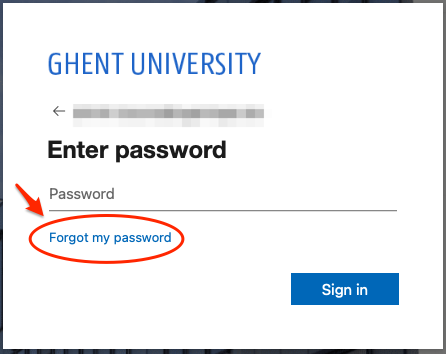
On the login screen, choose "Forgot my password":
On the "Get back into your account" screen, enter the captcha (tip: choose another one with the arrows or use the read-aloud option):
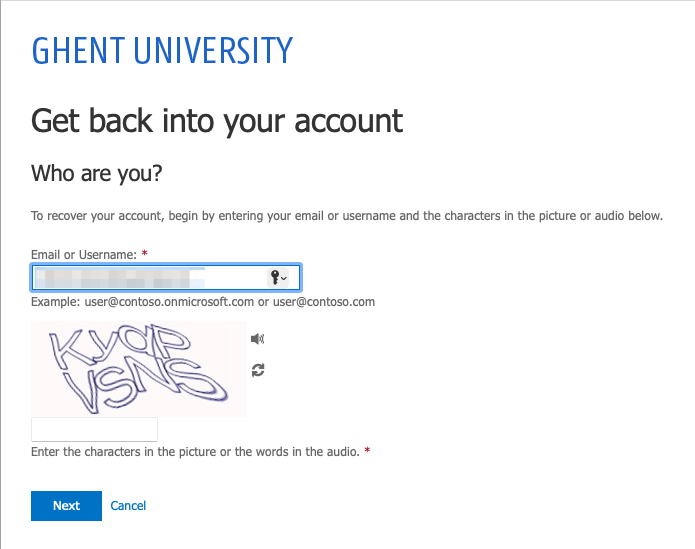
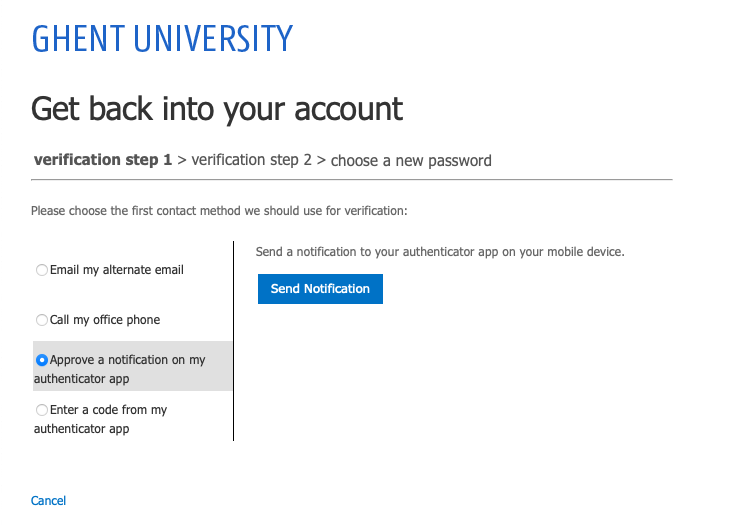
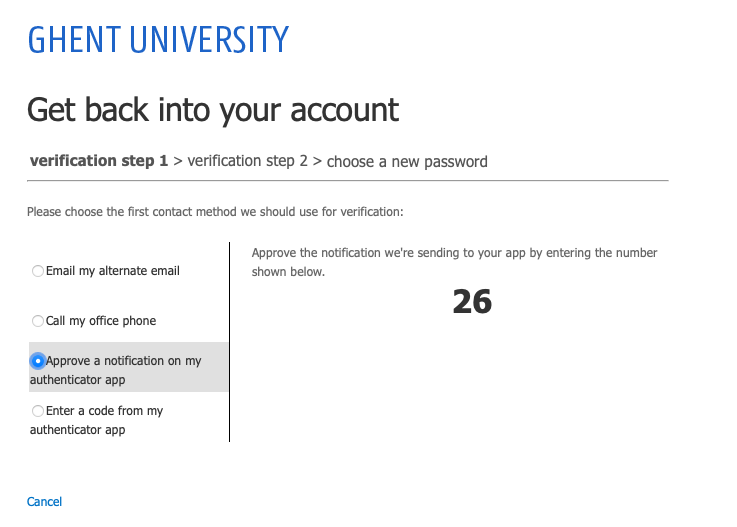
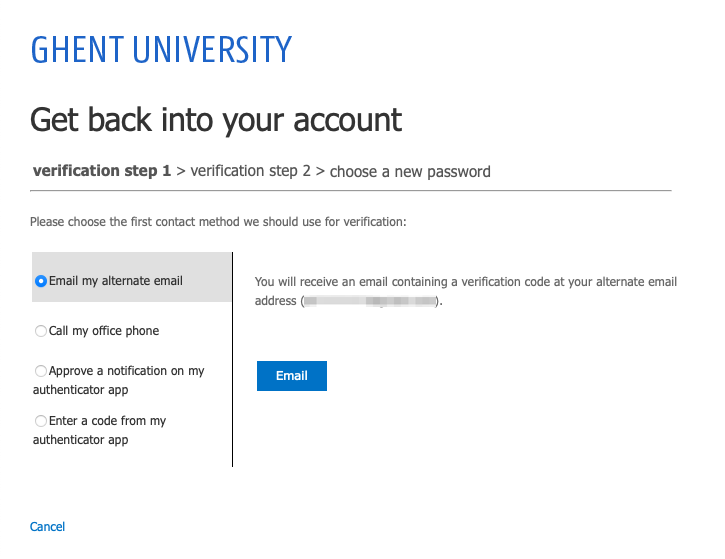
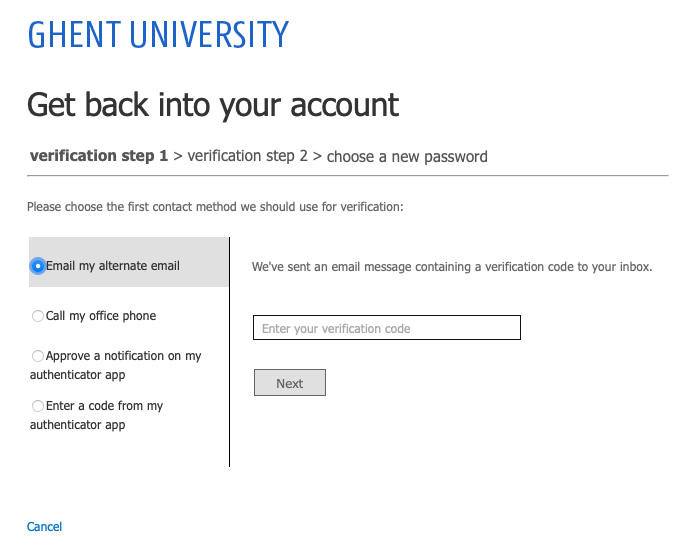
At "verification step 1", choose a method from your list of set verification methods in the left-hand column:
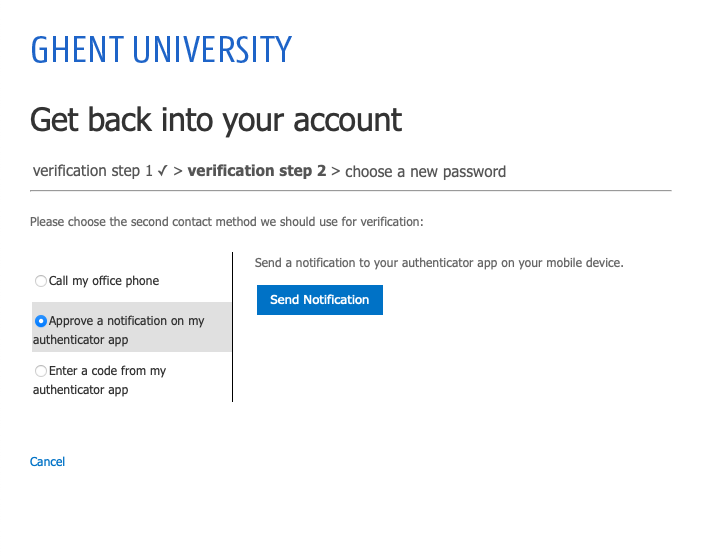
At "verification step 2", again choose a method from your list of set verification methods in the left-hand column.
The method used in step 1 is no longer visible in the list.
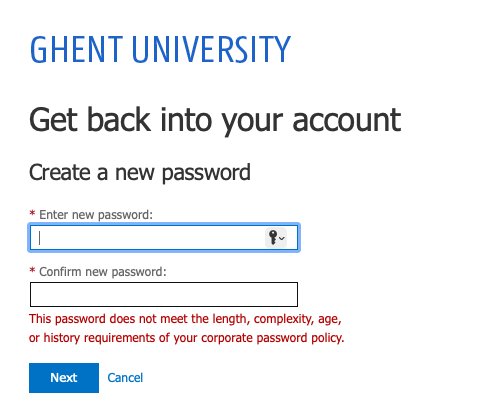
After successful verification, you can choose and enter a new password ("Enter new password") and confirm ("Confirm new password"):
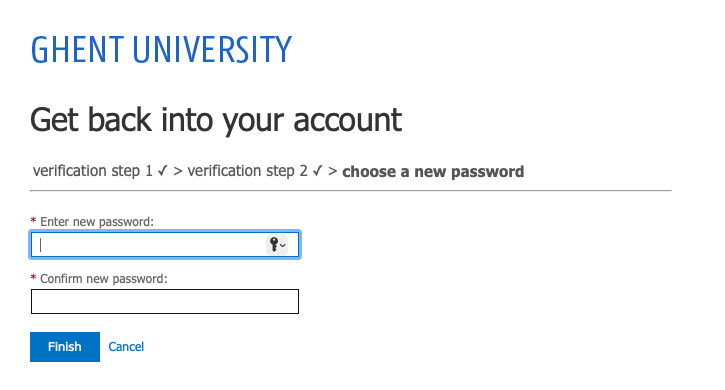
It is not possible to choose a new password that violates the password policy:
Your password was reset successfully:
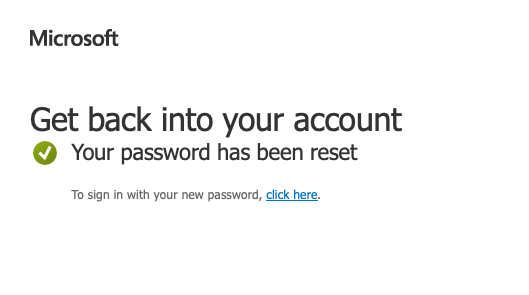
You will also receive another confirmation via e-mail.
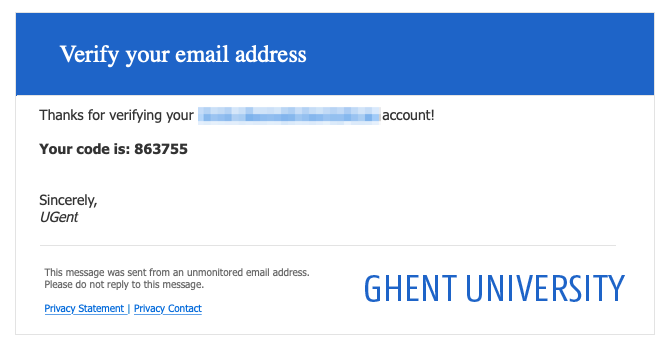
A numerical code will be sent to your private email address. Enter the code and click "Next":
What is a private e-mail address?
A private e-mail address refers to a personal account that you create yourself with Microsoft (Outlook) or Google (Gmail), among others.
Do not use an address linked to an account with another employer or educational institution. After all, such an account expires when your employment or studies end.
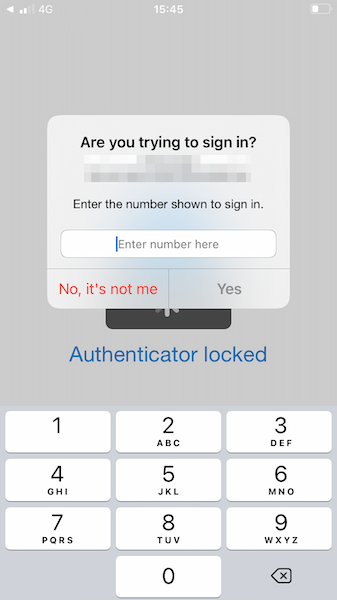
A notification will be sent to your authenticator app. Enter the displayed number and confirm the notification.